nbfsa.registrationservices.gov.kh : Pawnshop Public Service and Granted Business Service Cambodia
Organization : Real Estate Business & Pawnshop Regulator of Ministry Of Non-Bank Financial Services Authority (NBFSA)
Facility : Pawnshop Public Service and Granted Business Service
Country : Cambodia
Website : https://nbfsa.registrationservices.gov.kh/login?
| Want to comment on this post? Go to bottom of this page. |
|---|
What is Pawnshop Public Service and Granted Business Service?
Pawnshop business and granted business services in Cambodia refer to legally regulated commercial activities where businesses lend money to customers who pledge personal property or movable assets as collateral.
Related / Similar Facility : Ministry of Tourism Cambodia License Registration

Overview of Pawnshop Regulations:
Regulating Body:
Operations are overseen by the Real Estate Business and Pawnshop Regulator (RPR) under the Non-Banking Financial Services Authority (NBFSA).
Core Definition:
A commercial activity where a customer pledges valuables (such as jewelry, electronics, vehicles, or land titles) to receive a secured short-term loan, promising to repay the principal and interest.
Licensing Requirement:
Operating a pawnshop or granting related financial/mortgage services without an official license from the RPR is illegal and subject to strict legal penalties, fines, or suspension.
Compliance Standards:
Licensed operators must maintain registered capital deposits, report acquisitions and client details periodically (including anti-stolen-goods verification), and submit regular financial statements.
How To Login To Pawnshop Public Service and Granted Business Service?
To login to Pawnshop Public Service and Granted Business Service, Follow the below steps
Steps:
Step-1 : Go to the link given above
Step-2 : Click On “Get QR Code”
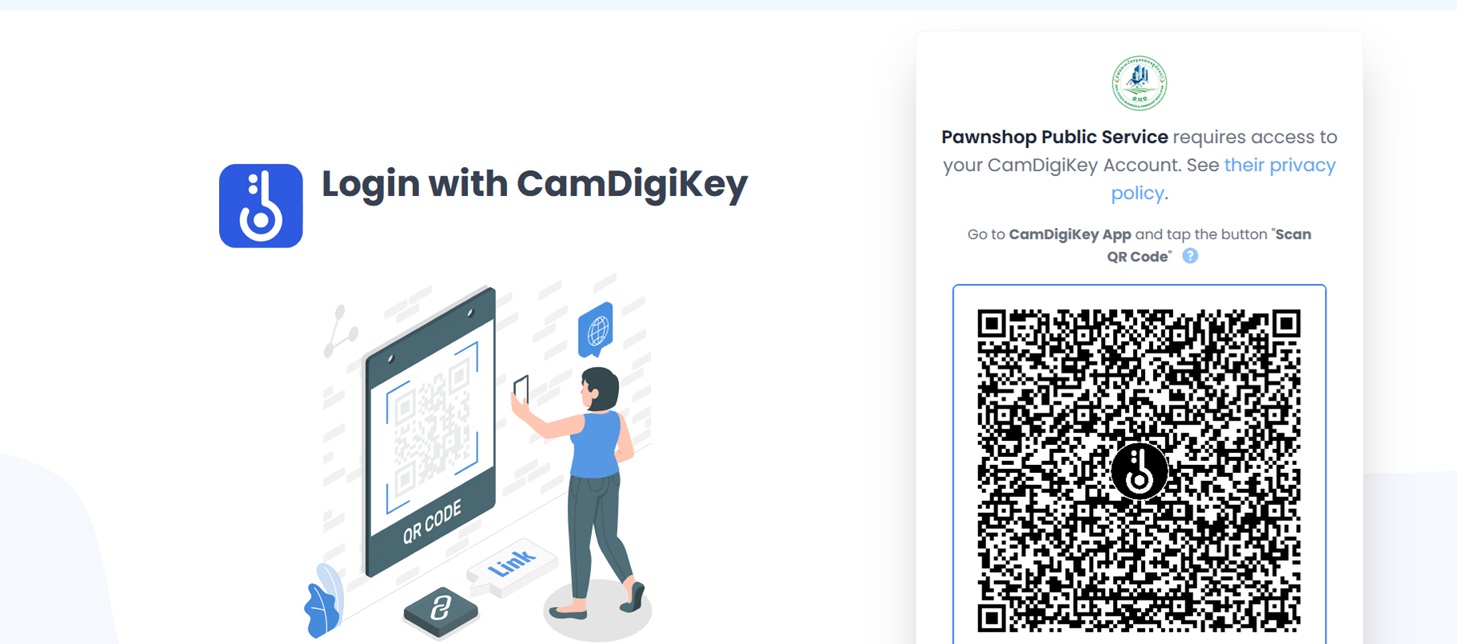
Step-3 : Login with CamDigiKey
Note:
Pawnshop Public Service requires access to your CamDigiKey Account. See their privacy policy. Go to CamDigiKey App and tap the button “Scan QR Code”.
Instruction On Pawnshop Public Service
1. Download CamDigiKey app: Android or iOS.
2. Scan QR code on your CamDigiKey App.
3. Insert your 6-Digit pin in the application.
4. You will be automatically directed to the license registration.
What is CamDigiKey?
CamDigiKey is a secure yet easy mobile application to authenticate oneself digitally to access to various government digital services running through CamDX. Users must register to obtain valid digital identity. To login, users simply use the application to scan the QR code appeared in the login screen of the government portals. Online Business Registration is the first government portal that uses CamDigiKey to authenticate the user digital identity.
How To Create An Account On CamDigiKey?
Go to CamDigiKey application, click the “Register” button and follow the instructions on the application. Click the “Recovery Existing Account” button, then enter the mobile phone number that you registered with the CamDigiKey application and enter the OTP code sent to the mobile phone number. Complete the process by going through some security steps including your personalized 6-digit pin code or biometric authentication and liveness face detection.